Gardenticker Your way to a buzzing paradise
Plan · Tend · Watch it bloom

Know what your garden needs, every month.

There is no garden that needs no care. But there is one that won’t overwhelm you. The app tells you what needs doing, month by month. And with every task you get to know your garden better, and the creatures you are helping.

Easy care from the start

Your garden in your hands.

Every month the app sorts your tasks: pruning together, deadheading together, the rest below. Tick off what’s done, and see what’s in flower along the way.

  • One row per plant, with its photo and bed
  • Tasks sorted by kind of work
  • What’s in flower, always in view

Today in the garden

Hinterhof-Oase

Adding plants

Tag, photo or name. Done.

The tag from the nursery is enough. No tag? Then a photo of the plant, with your AI key, or just its name. The app finds the botanical name and the variety, a photo, and fills in flowering time, pruning, light and height.

  • Reads offline too, with your iPhone's own text recognition
  • A photo from Wikimedia Commons, of the variety first, else of the species needs internet
  • Fills in only what's missing. What you entered stays as it isFills in from the Catalogue on your iPhone: flowering, care, light and height. What you entered stays
  • Lost the tag? With your AI key, photograph the plant and the AI recognises it. Or just type its name, common or botanicalLost the tag? Type its name, common or botanical: the Catalogue knows it without a connection too. Only recognising a photo with the AI needs internet
Airplane modeWhat works without a connection?Works without a connection.
Ask the Gardener · Bring your own AI

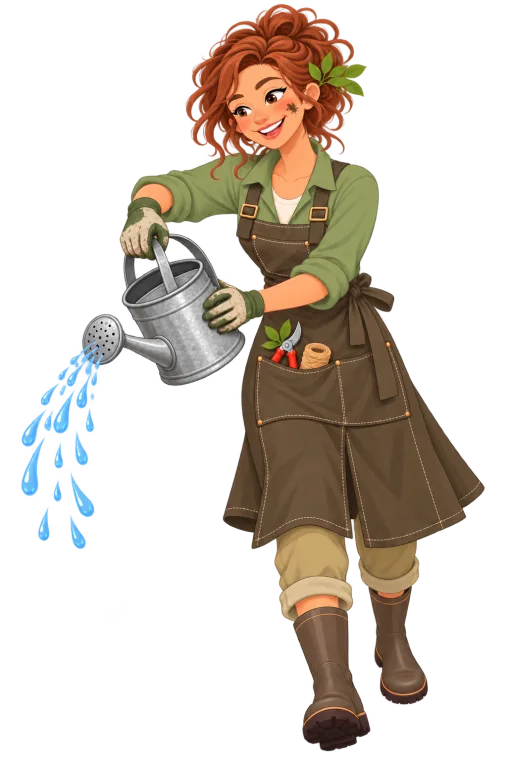
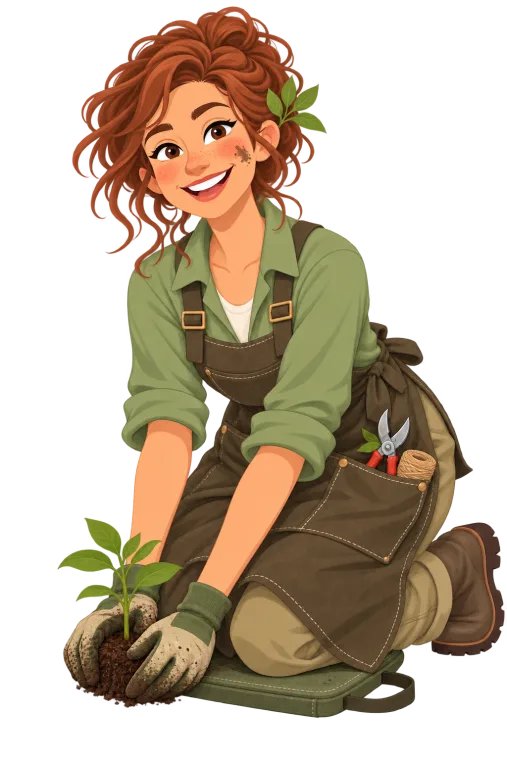
She knows every plant you have.

Ask what's on this week, where your garden has gaps or whether the rose can be pruned now. She answers with your beds, your wishlist and what you did lately in mind.

  • Optionally your own key for Claude, ChatGPT or Gemini
  • In your iCloud Keychain, never in the shared garden
  • “Best quality” or “Economical”. You see roughly what a question costs
Ask the GardenerKnows your beds, your wishlist and your history
Hello! Ask me anything about your garden.
Why no AI subscription?

You only pay for your own questions.

Honestly: every question to the Gardener costs a little money. It goes to an AI, and that charges per question.
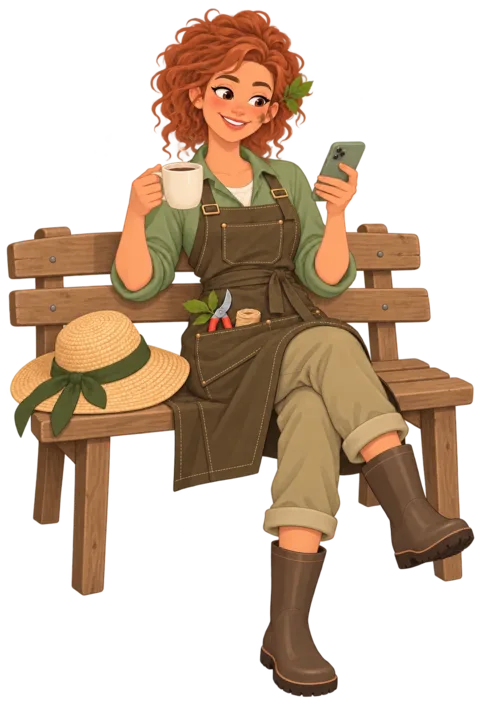
Now and then

A question when something comes up

Can the rose be pruned now? A few questions a month.
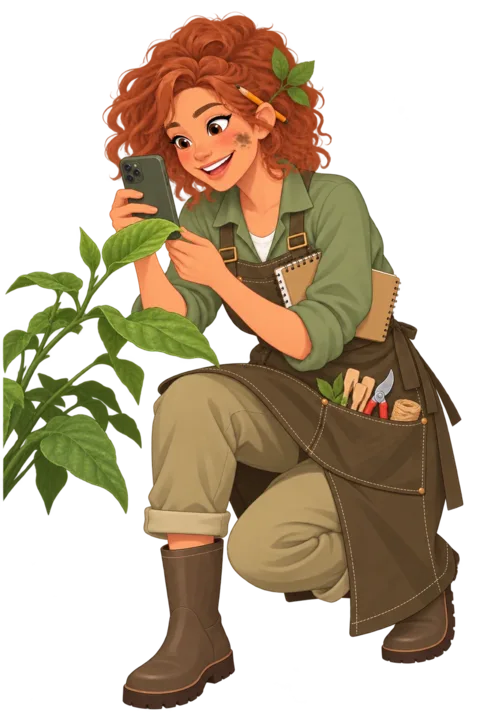
a few centsa month
Every day

Photos and questions about every bed

Every new leaf photographed, something asked every day.

€4–8a month

How much that adds up to varies a lot. If you take photos and ask every day, you might end up at €4 to €8 a month. If you only want to know now and then whether the rose can be pruned, it’s a few cents. One subscription at the same price for everyone wouldn’t feel fair to me. Some people would be paying for others.

So you bring your own key, for Claude, ChatGPT or Gemini. You top up as much as you like, and it lasts exactly as long as you keep asking. No subscription, nothing to cancel, and I don’t earn anything from your questions. The app shows you roughly what a question costs.

A subscription right in the app isn’t off the table, though. If it turns out you’d rather just pay a fixed amount, it might come later. Tell me what you’d prefer.

Your key for
  • Claude
  • ChatGPT
  • Gemini
NewThe Catalogue

Over 11,000 plants. Even offline.

The Catalogue lives on your iPhone, so it works in the garden centre too, where there’s often no signal. New plants come almost filled in, with no key or cost.

  • Wild species and varieties, from the creeping bellflower to the shrub rose ‘Westerland’
  • Knows other names too. Search for one and it finds the plant anyway
  • For insects: which wild bees, butterflies and birds it feeds, and which of them are on the Red List. The data comes from NaturaDB
  • What to do comes with it: when to prune, what to feed, when to protect from frost
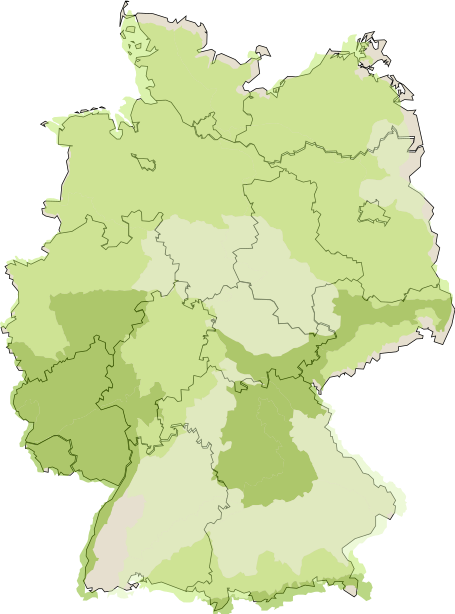
Map of Germany: where the brown knapweed grows wild, in three greens from common to rare
Brown knapweedcommonmediumrareMaps cover Germany only, for nowMap: NaturaDB ↗
Offline

Over 11,000 plants and varieties on your iPhone

    • 11,000+plants, 3,700 species and 7,400 varieties
    • over 90,000animal visits by 2,200 species, 600 of them on the Red List
    • 3,900+native, or a variety of a native species
    • 3,400+especially good for insects
    • 4,600+species with their own care plan
    • 400,000words of care tips and descriptions
    • 8,500+hardy
    • 4,300+with something to eat
    • 2,600+evergreen or semi-evergreen
    • 2 languagesGerman and English, names and care alike
    • TallestGiant sequoia80 m tall
    • Most wild beesDandelion112 species
    • SmallestCommon duckweed1 cm tall
    • Most butterfliesBrown knapweed70 species
    • HardiestNorway sprucedown to −45 °C
    • Most caterpillarsGoat willow230 species
    • Most hoverfliesGround elder85 species
    • Most birdsRowan63 species
    • Most beetlesSessile oak37 species
    NewApple Watch

    Your garden on your wrist.

    Nobody takes their iPhone out with soil on their hands. On the watch you’ll find the month’s tasks, one plant a page, and the Gardener is always by your side.

    • One tap, done. Then the next plant comes up by itself … or you put it off until next month
    • Just talk to her. The answer comes in one or two sentences, made for the watch
    • In the garden without your iPhone too. Your tasks come through iCloud, your AI key through the Keychain
    10:09
    Tick off and turn the page
    Our garden

    10:09
    Ask the Gardener
    Getting started

    A name, and off you go.

    No account, no sign-up. Give your garden a name or roll one. Want to look around first? Open the sample garden.

    • A sample garden with plants, jobs and questions for the Gardener. None of it is saved
    • Already have a garden? Open an invitation or load it from a file
    • “Set up your garden” then takes you through the rest in four steps
    Sharing a garden

    Garden together.

    Share your garden through iCloud with family or neighbours. Whoever opens the link gets the whole garden. And when one of you ticks something off, everyone sees it.

    • Everything comes along: plants, jobs, talks with the Gardener, Home Assistant
    • Giving a plant away? “Share as tag” makes a picture to print
    Import · Export

    Your data. To take away.

    One tap on “Export garden” and you have everything in one file: open JSON files and every photo. Readable in any editor, even without the app, and imported again just as quickly.

    • One ZIP with a checksum for every file
    • Importing always creates a new garden. Nothing is overwritten
    garten-archive.zip

    • Nothing exported yet.
     
    Statistics

    Your garden in numbers.

    What flowers when, in which colours, where grows the most and which is the tallest? Tap on it. In the app every chart leads to the plants behind it.

    Home Assistant · Outdoors

    Outdoors, all at a glance.

    With Home Assistant the app becomes your garden’s control centre: weather and rain radar, watering zone by zone, “Rain delay” and the robot mower, all on one page.

    • Water the beds: every zone in turn, you set the minutes per zone
    • Rain delay: the schedules pause when it rains anyway
    • Lawn: status and battery, plus “Mow”, “Pause” and “Dock”
    • Camera: the picture from the garden, right next to it
    Outdoors

    14°
    Weather
    14°Partly cloudy
    Rain radar
    Watering · 3 zones10 min each
    • Front gardenoff
    • Borderoff
    • Patiooff
    Rain delay

    Rain delay: the schedules aren’t watering right now.

    LawnDocked
    Battery96 %
    And in Home Assistant

    Your garden on the dashboard.

    Tasks and flowering arrive in Home Assistant as sensors, and the “Garten” list syncs both ways. Tick things off wherever you are.

    • Two sensors: open tasks and what is in flower, colours included
    • Your token stays with you, in each member’s keychain
    Home Assistant
    ✓Taskssensor.garten_tasks
    ✿Floweringsensor.garten_bloom

    Garten

      In the app

        in sync
        … and many more helpful features
        9:00
        now

        Frost warning

        At 9 am the morning before a frosty night, with time left to act. Naming the plants still without winter protection.

        Widget

        What’s still to do in the garden this month. Tick it off or move it right on the Home Screen, small, medium and on the Lock Screen.

        9:00
        now

        Monthly overview

        At 9 am on the first Saturday of the month, what’s coming up. On the third, what’s still open.
        Now in the App Store.

        Gardenticker is here, free for iPhone and Apple Watch. Start in winter and you’re ready when the season comes.

        Download for free Gardenticker in the App Store. Scan the code with your iPhone. Download on theApp Store

        Already in the beta? Get the app from the App Store. Your garden comes along, nothing gets lost.

        Made with ❤️ in Bad Bentheim Changelog

        New in Gardenticker

        What the app has learnt with each version.

        Drawn, not symbols

        New drawings, and water plants know where they live in the pond.

        Light, water and soil at a glance ☀️

        On a plant’s page, each with its drawing.

        A plant → below its tags

        Nine drawings: sun, partial shade and shade, a seedling on dry, moist and wet soil, and sandy, loamy and humus-rich soil

        Pond zones for water plants 🪷

        Shore, shallow water, deep water or floating. Below it, how it gets through winter.

        For example: Marsh marigold: shore zone

        A water plant → below its tags

        At the top the four pond zones: plants on the shore, in shallow and deep water and floating. Below, winter: hardy in the snow, under fleece and in a pot going indoors

        72 pictures for your garden 🌳

        And a colour you mix yourself.

        Settings → the picture next to your garden’s name

        Twenty of the garden pictures: apple tree, sunflower, raised bed, garden gate, robin, hedgehog, pond, lavender, greenhouse, blue tit, pumpkin, rose, bird box, butterfly, frog, cherry tree, garden shed, ladybird, tomato and squirrel

        Gardenticker on your wrist

        Tick off, put off and ask, while your iPhone stays in your pocket.

        One plant a page ⌚

        The month’s open tasks lie one below the other, each plant with its photo. One tap on the tick and it’s done, then the next one comes up by itself. Or you put it off until next month, and Undo works too.

        For example: Turn the crown to the next plant

        Apple Watch → Gardenticker

        The Gardener listens 🎙️

        Tap the green circle and say your question. She answers briefly, in one or two sentences, and Follow up carries on. The common questions are listed below, one tap is enough. Your AI key comes along through your iCloud Keychain.

        For example: Do I need to dig up the dahlias yet?

        The green circle on a plant or the speech bubble at the top right

        Your plants with you 🌿

        Every plant in your garden and your wishlist, with a search. A plant’s page shows its tasks and tips.

        The list at the top left

        Works without your iPhone too ☁️

        The watch fetches your garden from iCloud by itself. What you tick off there shows up straight away on your iPhone and for everyone you share the garden with.

        The Catalogue

        Over 10,000 plants on your iPhone, no AI needed.

        Over 10,000 plants and varieties 📚

        The Catalogue lives on your iPhone. When you add a plant, the app fills in flowering time, care, light, height and hardiness from it. It needs no AI, no key and no connection for that, and it costs you nothing.

        For example: Type in shrub rose ‘Westerland’ and the rest is already there

        Plants → New plant

        What to do comes with it ✂️

        When to prune, what to feed, when to protect from frost: the Catalogue now knows this for many plants. Plants you already have get it added once. Whatever you entered yourself stays.

        A plant’s page → To do

        Knows other names too 🔎

        Many plants go by several names. The Catalogue knows them and finds the plant anyway.

        For example: Blaubeere finds the Heidelbeeren (both German for blueberry)

        New plant → Name

        New once a year 📦

        About once a year the app downloads a new Catalogue, just under 3 MB. Nothing from your garden is sent to me.

        Gardenticker

        The app now has the same name as its website.

        A bumblebee as the app icon 🐝

        On your Home Screen a bumblebee now flies past a green tick. You’ll find the same bumblebee at the top of my website.

        Home Screen

        Pick your own icon 🎨

        Rather have the Gardener, the tag or the hepatica? You can choose the app’s icon yourself. It only applies to your iPhone.

        Settings → App icon

        The four app icons: the bumblebee with the green tick, the Gardener, a plant tag with a bumblebee stamp and blue hepatica flowers

        Garden becomes Gardenticker 🏷️

        Under the icon on your Home Screen it now says Gardenticker instead of Garden. On an iPhone set to German the app is called Gartenticker.

        Home Screen

        Two addresses, both free 🍀

        gartenticker.de and gardenticker.com were both still available. A name that’s free in German and in English is rare. So I took both straight away.

        · Version 1.0 (202610201708)

        Free AI

        With a key from Google you can ask the Gardener without paying anything.

        Set up AI for free ✨

        In the EU, the UK and Switzerland you can get a free key from Google. I guide you there step by step, and when you come back the app picks up the copied key by itself. It takes about two minutes. Claude and ChatGPT still work with an account of your own.

        Settings → AI → Let’s go

        Set up AI for free: with a free key from Google, below it Claude and ChatGPT with an API key of your own

        When the Gardener calls it a day 🌙

        The free key has a daily limit. Once it’s used up, the Gardener tells you she’ll be back tomorrow morning. Until then you fill things in by hand, and the iPhone reads tags by itself.

        The Gardener, tags and Settings → AI

        The Gardener calls it a day: the free requests are used up for today, she’s back tomorrow morning

        · Version 1.0 (202610201105)

        A better start

        The sample garden shows you from the start where it’s all going.

        An empty garden already shows something 🌷

        Until you add your first plants, Today and Plants show a few from the sample garden, slightly faded. So you see straight away what to expect.

        Today and Plants, while your garden is empty

        Today in a new garden: Set up your garden at the top, below it two faded tasks from the sample garden and the button for the first plant

        Set up your garden, swipe by swipe 👉

        The steps for setting up lie side by side. Swipe to the next one, and what’s done gets a green tick.

        Today

        Look at the sample garden any time 👀

        Even with a garden of your own you can look around the sample garden. One tap takes you back to yours.

        Settings → Gardens

        Why no AI subscription? 💶

        The app now explains why you bring your own key. You only pay for your own questions, and if you ask now and then that’s usually a few cents a month.

        Settings → AI → Why no AI subscription?

        Why no AI subscription: you only pay for your own questions, beside it the Gardener on a bench for now and then, a few cents a month

        · Version 1.0

        First beta

        The garden moves onto the iPhone.

        Today in the garden 🌱

        Every month this is where you find what the garden needs. Tick off what’s done or put it off for later.

        For example: Cut back the oleaster in June

        Today

        Today in the garden: what’s in flower at the top, below it June’s tasks, plant by plant

        The Gardener 👩‍🌾

        Ask her what your plants are missing. She answers with your own key from Claude, ChatGPT or Gemini.

        Her picture in the bar at the bottom

        · Imprint · Image credits · Privacy · Press